Loading arena feed...
Beginner-friendlyPublic Guide
How Matches Work on SkillArena
A friendly, step-by-step walkthrough so you always know what to do next.
Create Your Account
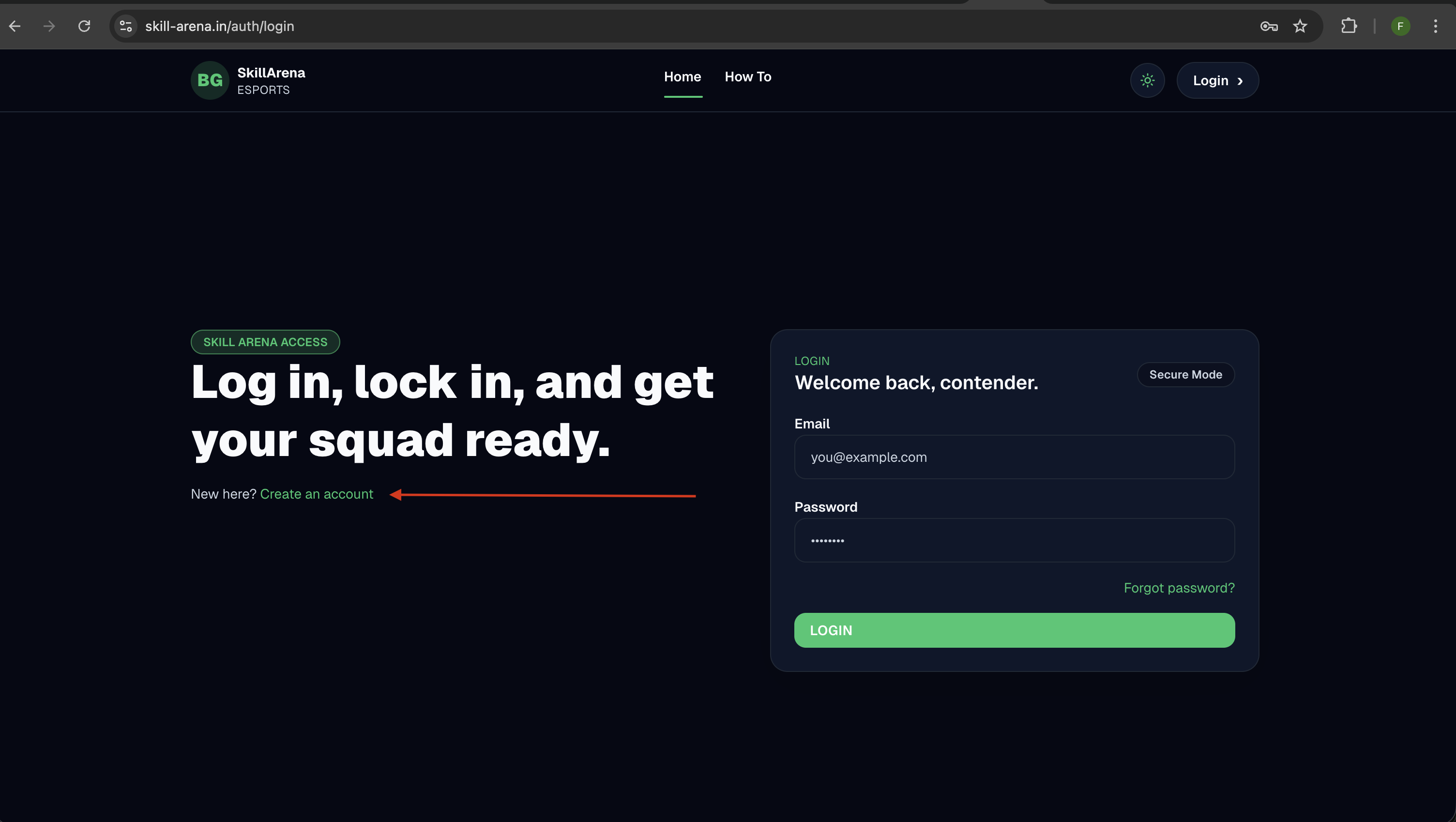
- Open the login page and click Create an account.
- Complete signup to access the dashboard.
Open Your Profile Menu
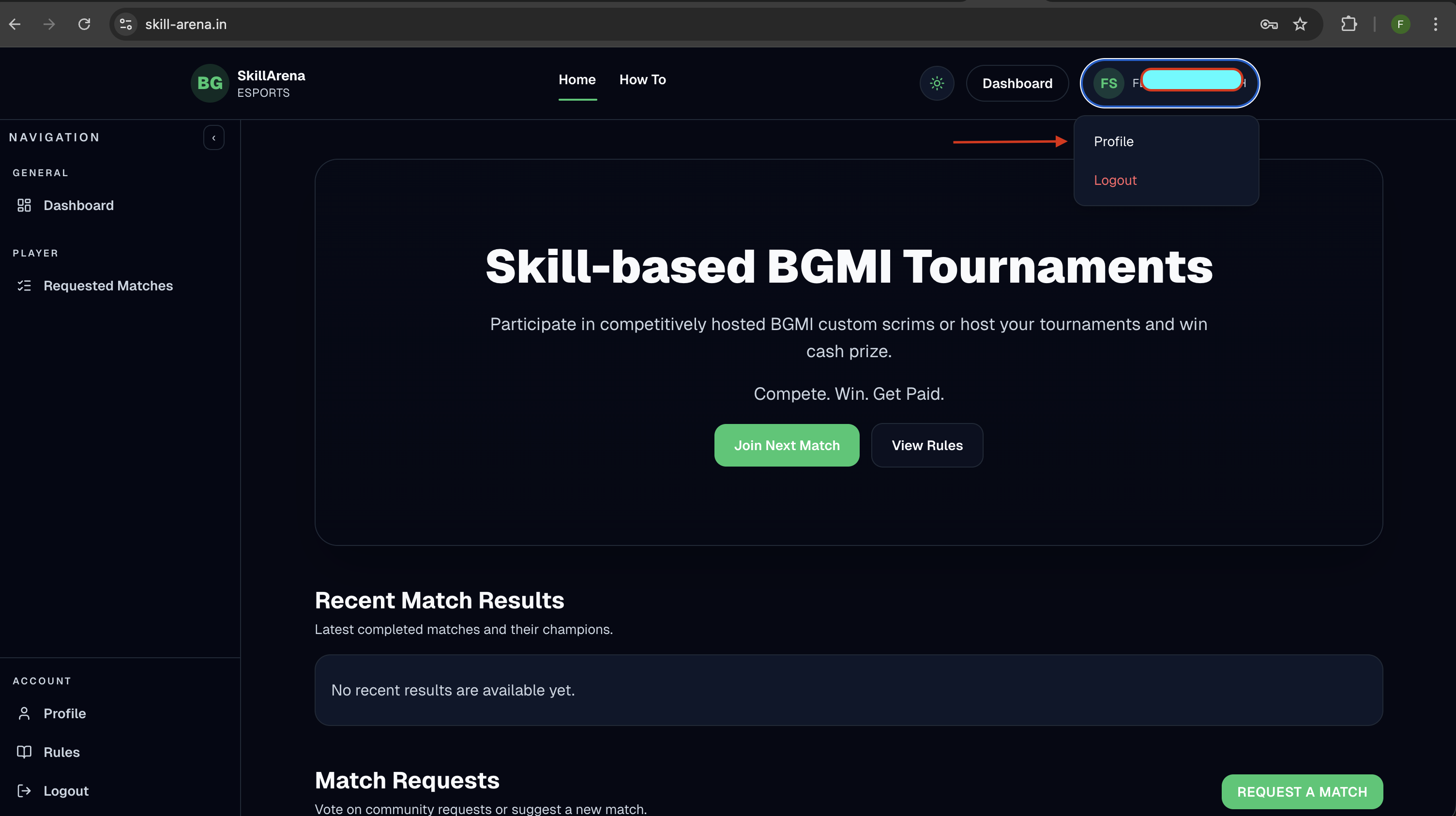
- Click your avatar/name in the top-right.
- Open the Profile option from the dropdown.
Verify Your Email
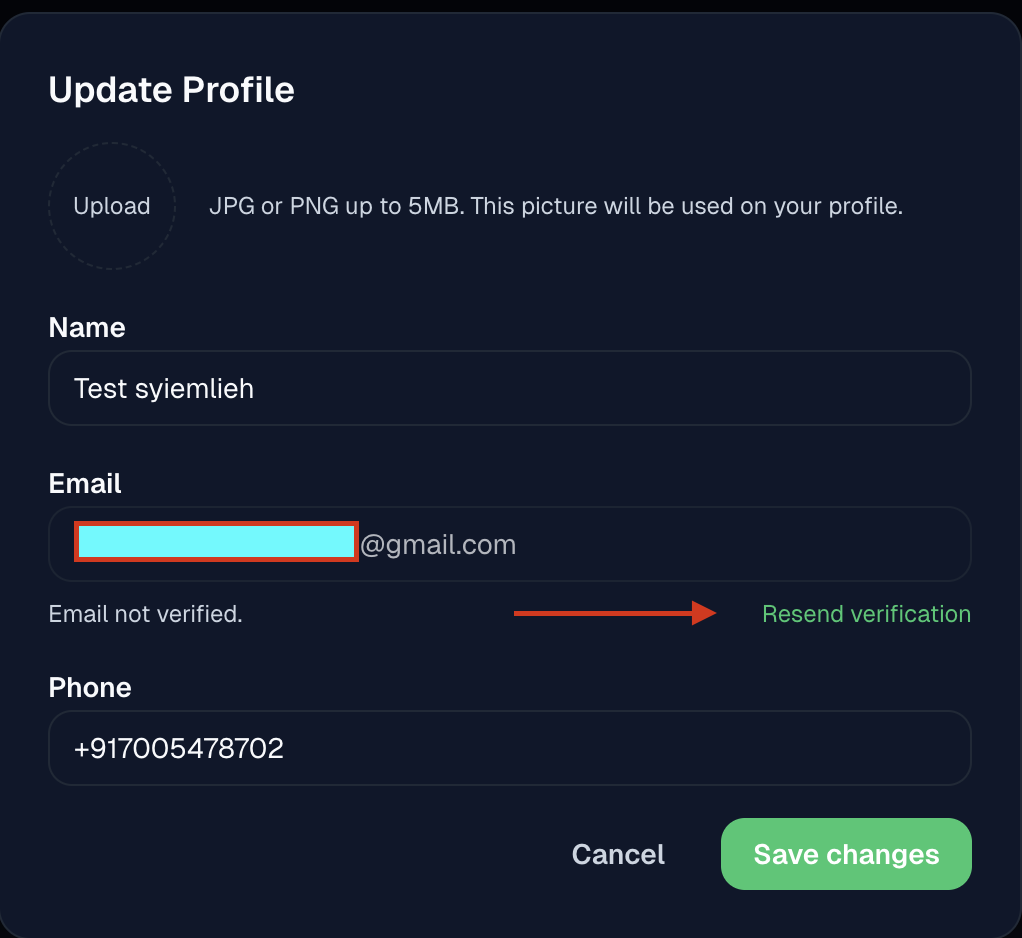
- Use Resend verification inside your profile.
- Verify before registering for matches.
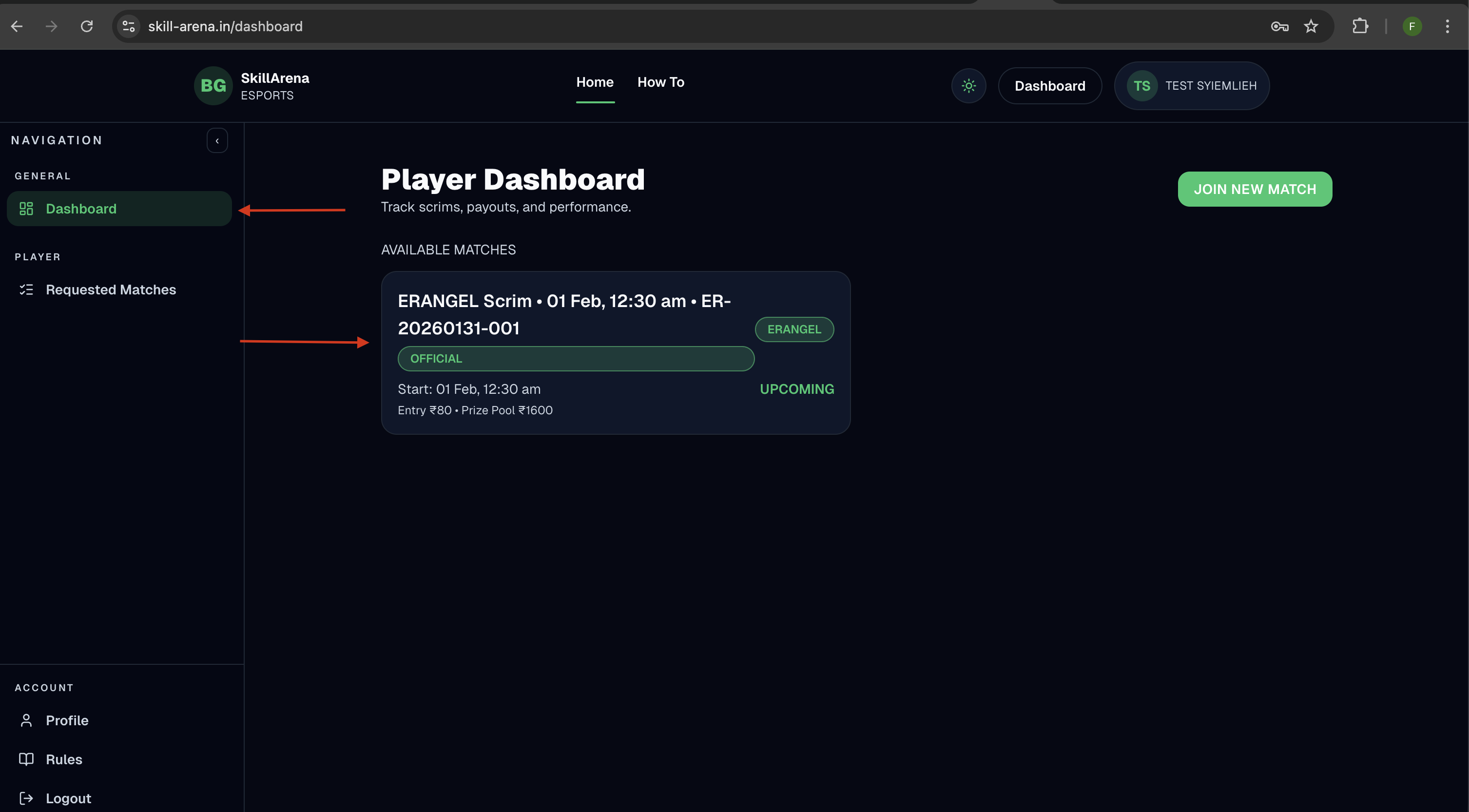
Find a Match on the Dashboard
- Browse Available Matches on your dashboard.
- Open a match card to view details.
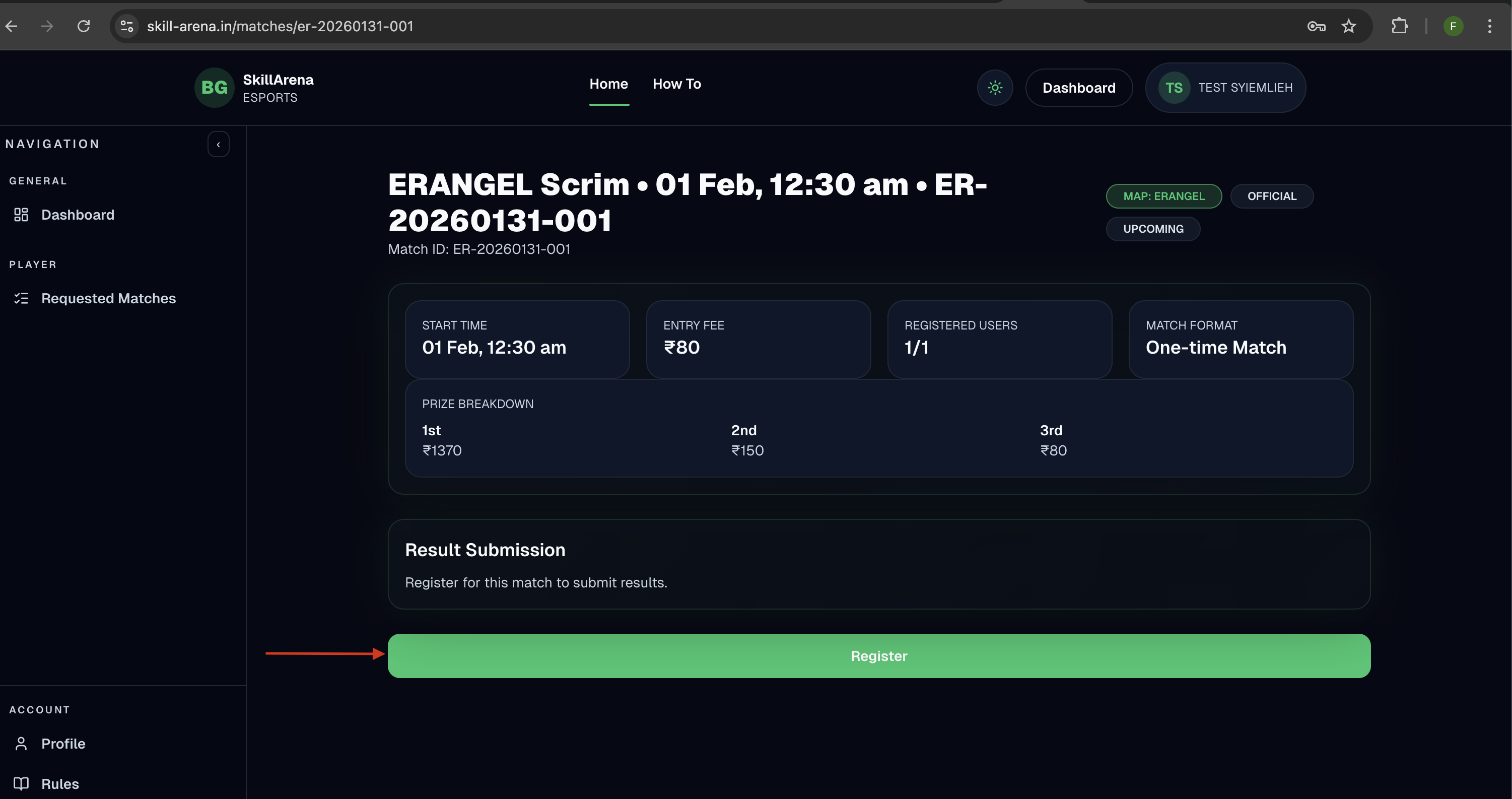
Open the Match Page
- Review match details and entry fee.
- Click Register to begin.
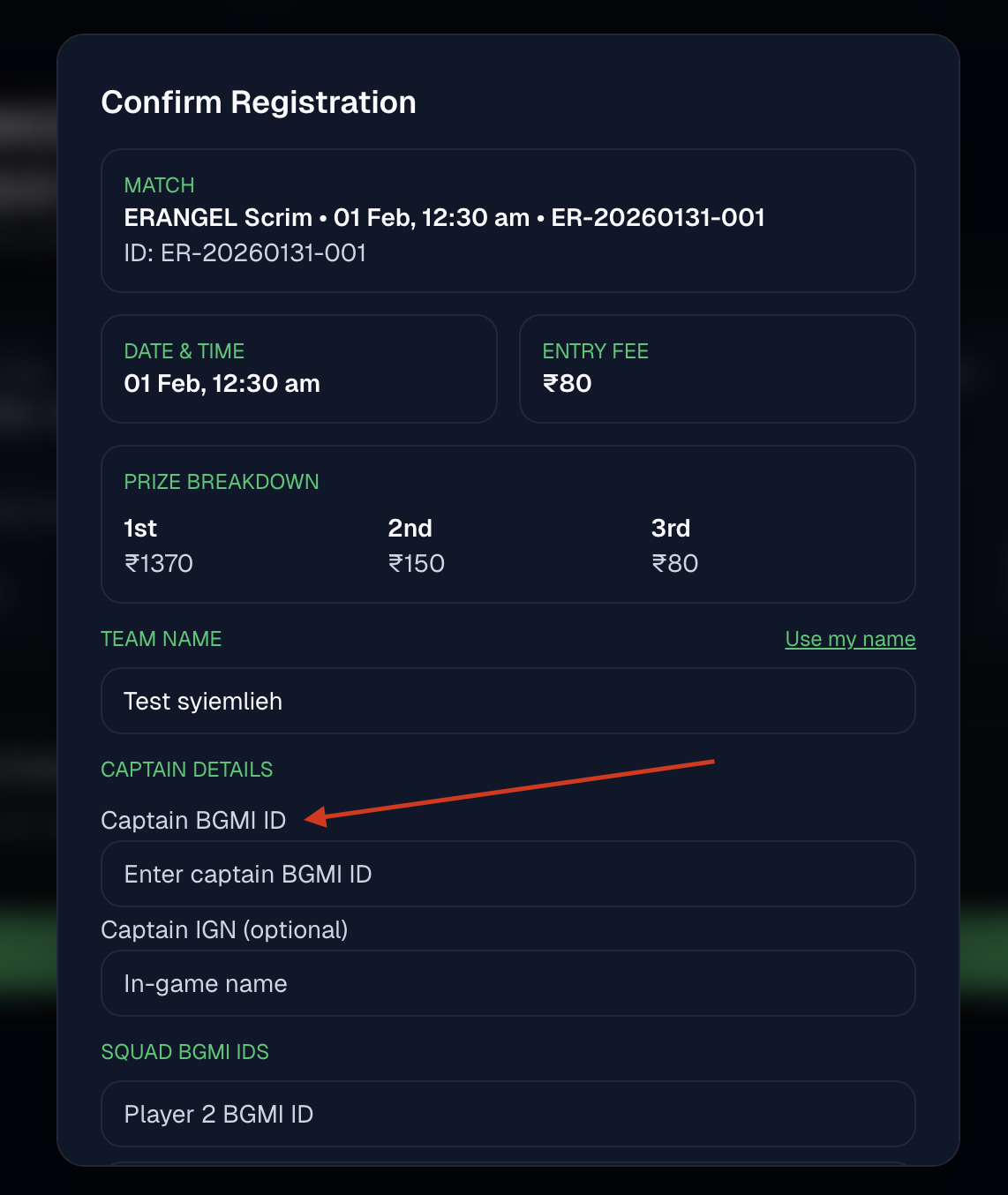
Enter Captain Details
- Add your team name and captain BGMI ID.
- Captain BGMI ID is required and must be numeric.
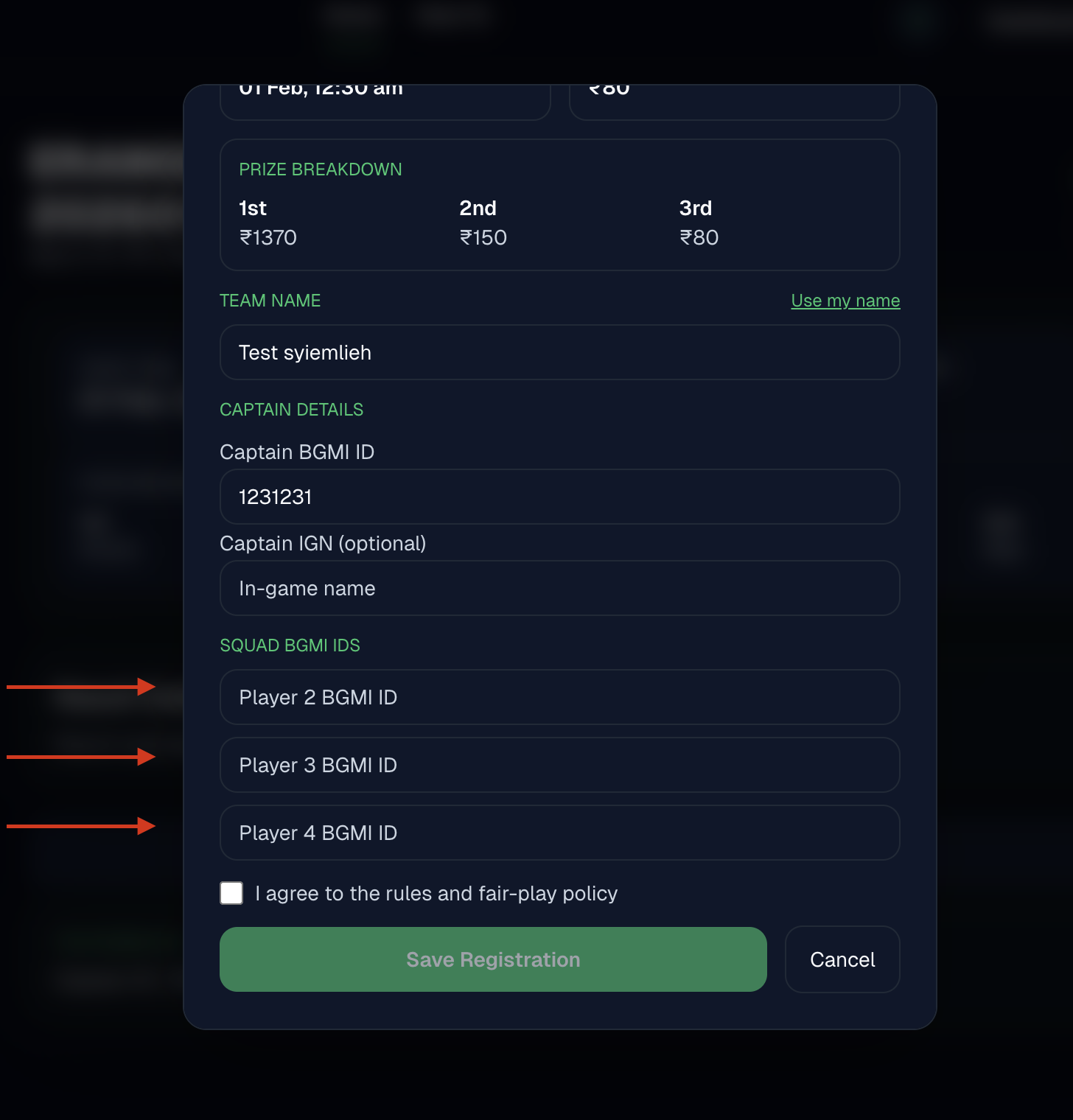
Add Squad BGMI IDs
- Optional: add up to three additional BGMI IDs.
- All IDs must be unique.
Save Your Registration
- Agree to the rules and save your registration.
- You can edit until the match starts.
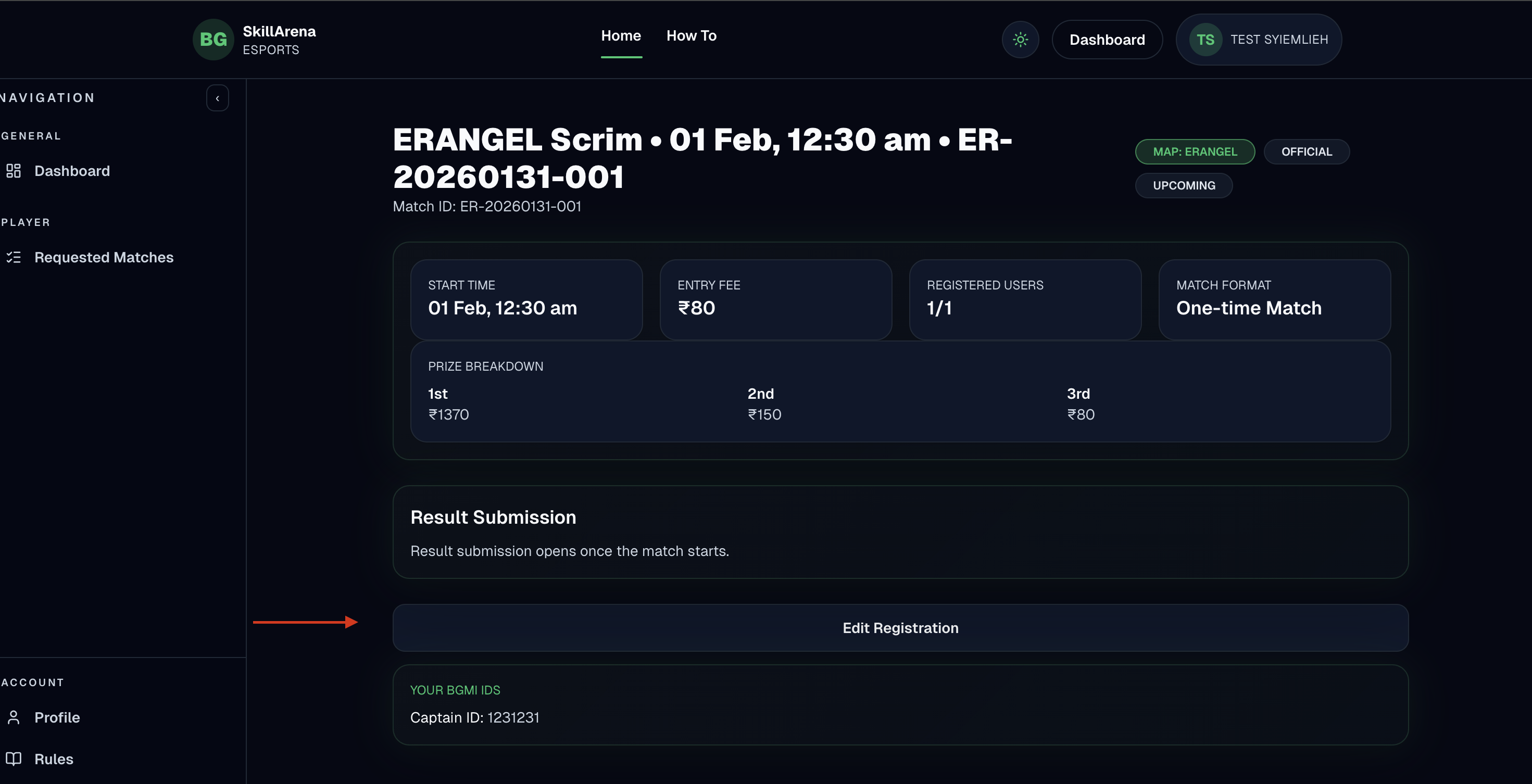
Edit Registration Before Start
- Use Edit Registration if you need changes before kickoff.
- After lock or match start, edits are disabled.
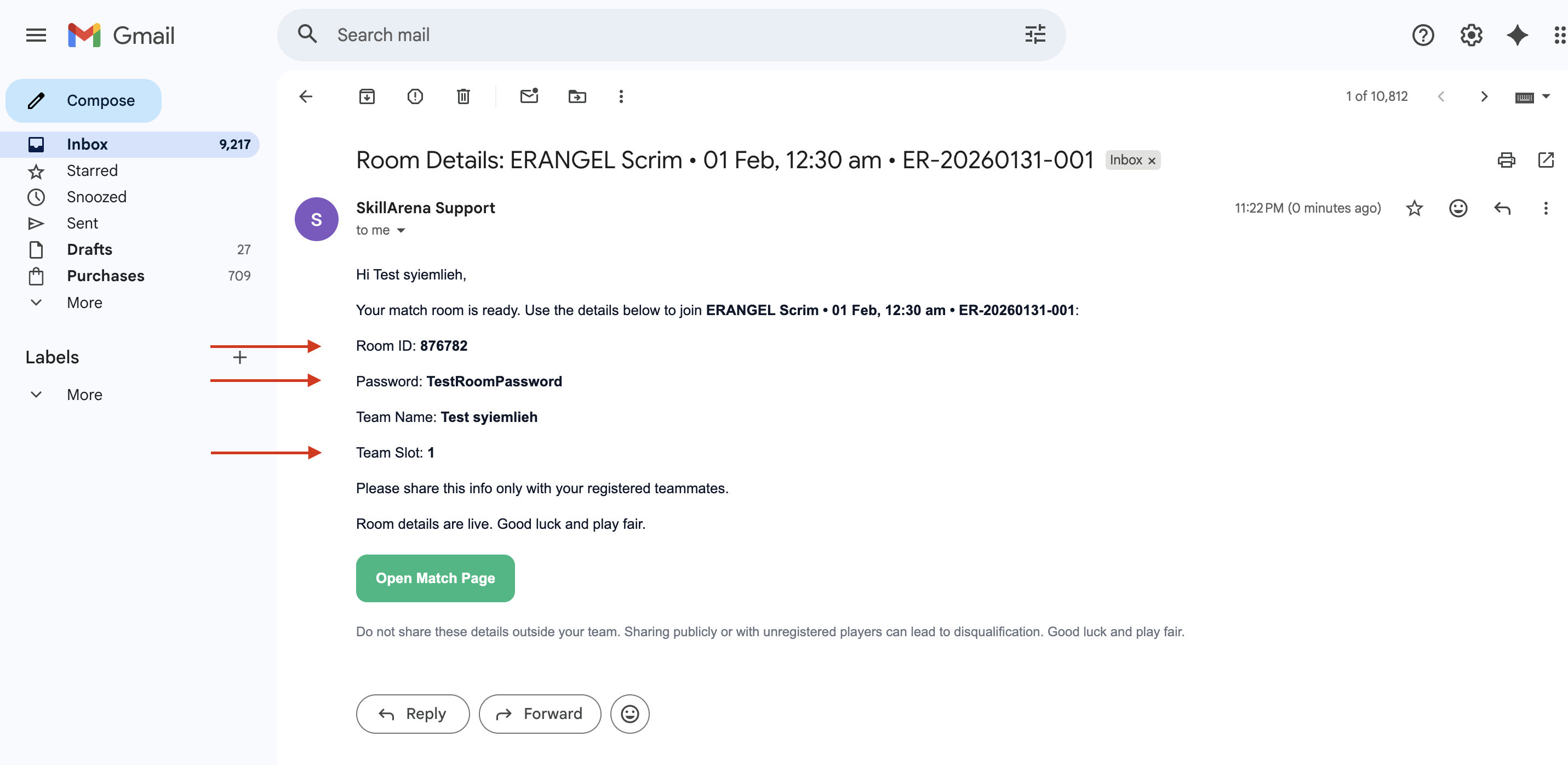
Receive Room Details
- Room ID and password are shared before match start.
- Check your email for the room details message.
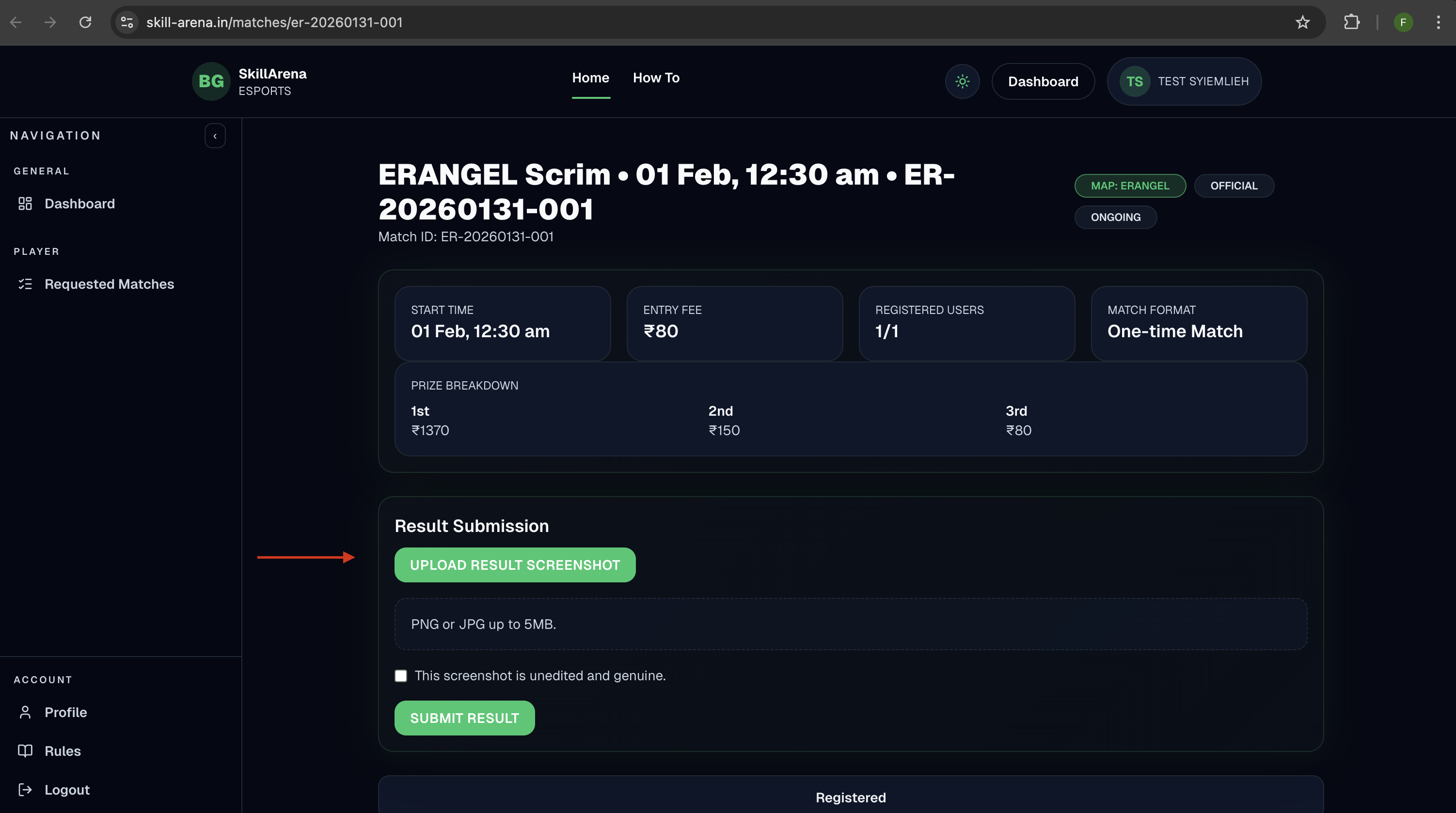
Submit Your Result
- Upload a clear result screenshot after the match.
- Confirm the screenshot is genuine and submit.
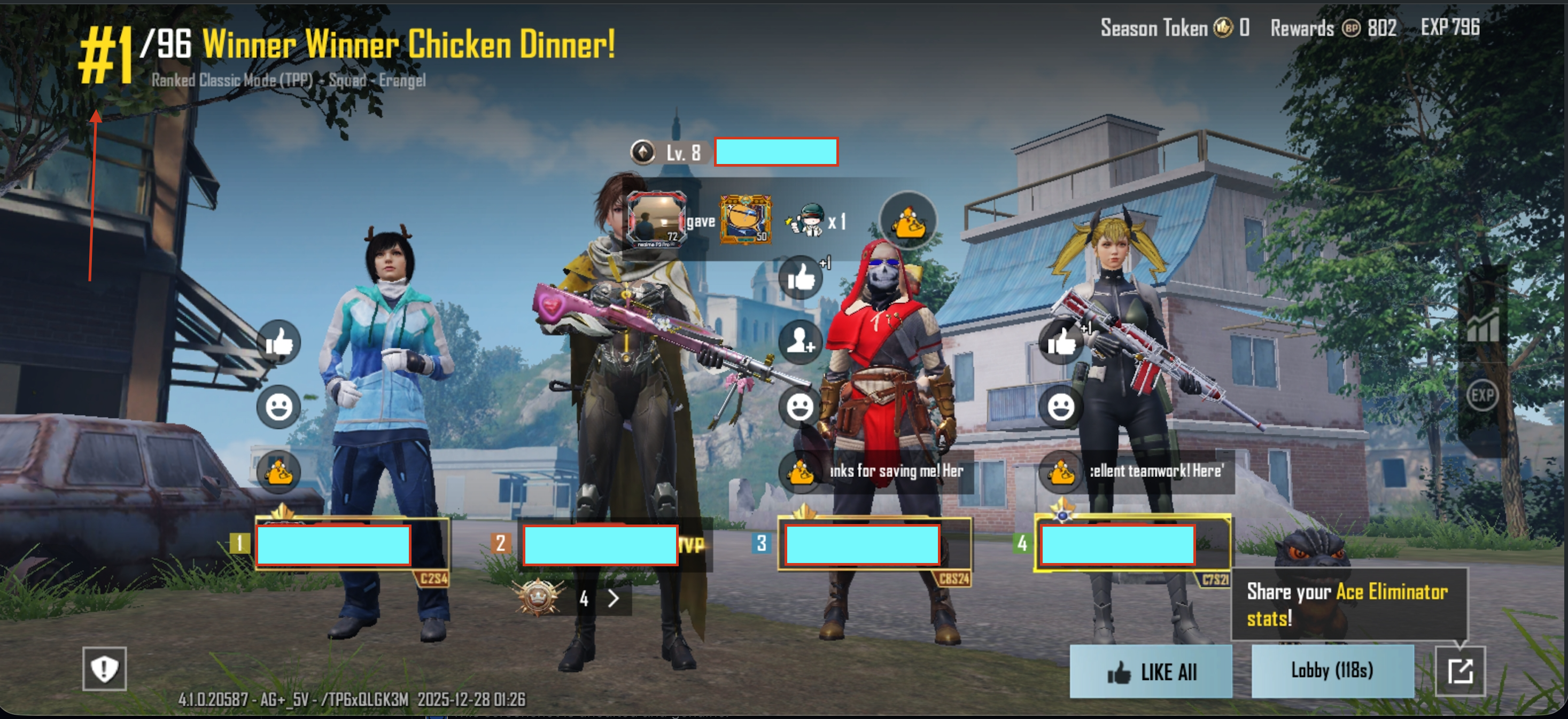
Capture Result Screenshot
- Make sure placement and team names are visible.
- Screenshots must clearly show the win screen.
Check Results & Winners
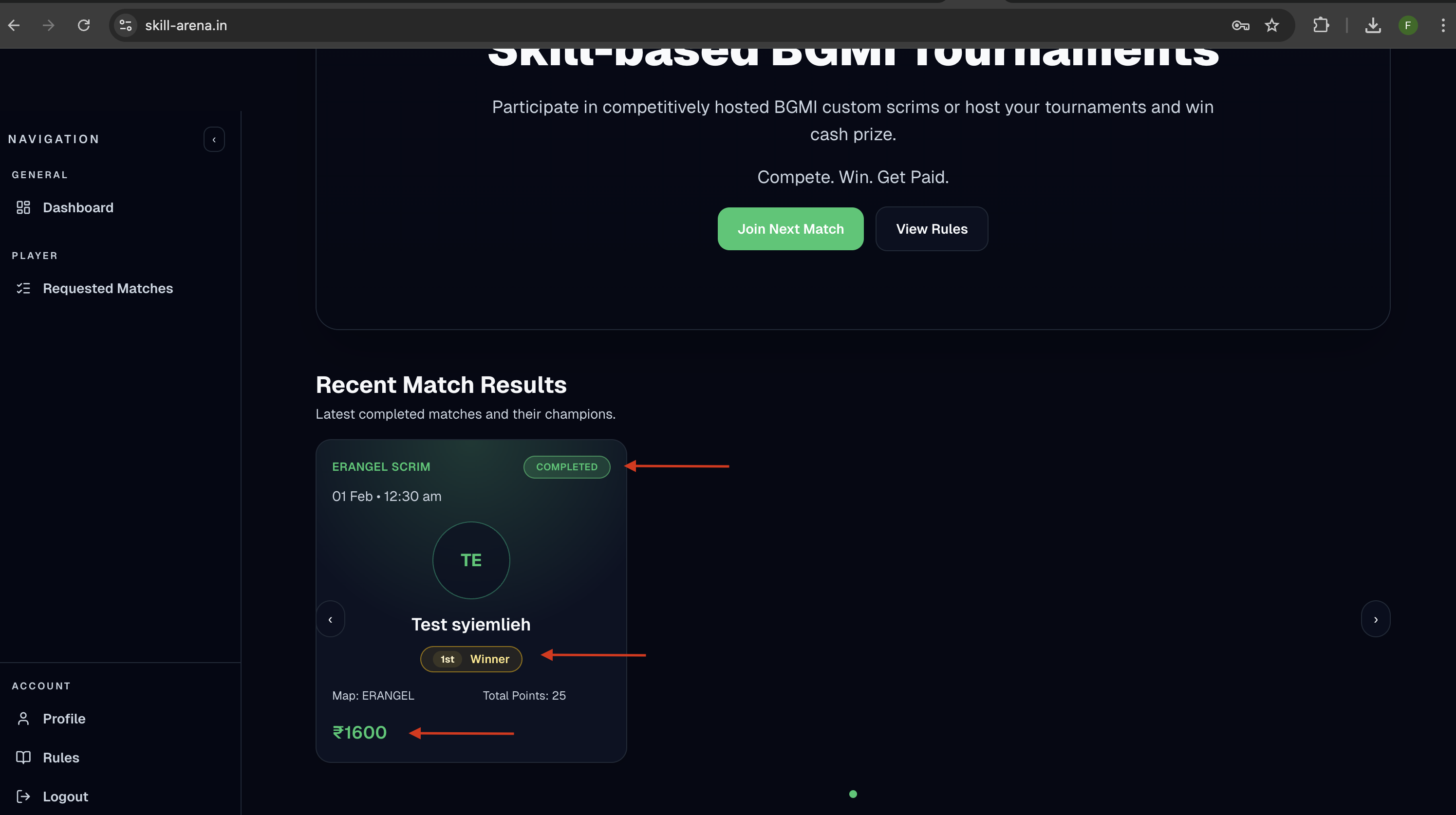
- Results appear in Recent Match Results.
- Winners are announced after verification.